Showing posts with label music. Show all posts

Monday, April 14, 2014

Gipsy Kings: "Inspiration" - Cover featuring Spanish guitar & accordion! By Nguyen-Anh Le


Buenas dias, amigos!  My latest music video is quite a change of pace from my recent ones.  We'll be switching gears to Latin pop with the Gipsy Kings!  "Inspiration" is a beautiful instrumental from their very popular "Gipsy Kings" album from the late 1980's.   Click on the image above or here to view the video on YouTube.

The Gipsy Kings' music is kind of a blend between Spanish Flamenco and pop music.  The genre is known as Rumba Flamenca.  The songs have pop music structures - with verses, choruses, bridges, etc.  The Flamenco is quite apparent in Gipsy Kings music, with all the strumming and tapping of the rhythm guitars and the fancy melodies from the lead guitar.  The Gipsy Kings are technically from France, but they speak Spanish and grew up in Spanish culture.  Their Spanish accents are a little strange to me - it's apparently Andalusian Spanish.


My cover of "Inspiration" is a bit unique.  Why?  It features the accordion!  The original song features a strong lead Spanish guitar.  I turned the song into a duet between guitar and accordion.  I was inspired by the melody at the bridge (1:53 mark); it always sounded to me more like a French accordion melody than a Spanish guitar melody.  So I figured, why not add a accordion throughout the whole song?  I really like the result.  The guitar and accordion harmonize well together.  The accordion's mellow, breathy sound is a nice contrast to the precise, plucky sound of the nylon string guitar.   The accordion's mellowness is great for carrying a secondary melody that shadows the lead melody.  On the other hand, chords on the accordion produce a bright, brashy sound, which is great for accenting the song (kinda like what a brass section does).


For my fellow musicians, Flamenco music is a bit different from Western pop/rock music.  First of all, playing lead Flamenco guitar (or just classical guitar) is different.  You don't play a riff or two here and there; you play a complete piece, full of unique phrases of music.  The melodies are pretty intricate and fast too.  Rock lead guitarists play with picks.  Flamenco guitarists just have long, ugly fingernails on their right hands.  You pluck with your nails.  I just can't stand long nails - not to mention I also play piano which requires short nails.  So I ended up getting some metal finger picks to fit around my fingers.  Without them, I simply couldn't play the lead melodies fast enough.  Nonetheless, there were still some showoff moves from the original song that I still couldn't play (I used some "creative license" to get around them).


Flamenco music is also different tonally (warning: this may get a bit technical).  Western pop/rock music uses mainly major, minor, and pentatonic scales.  Flamenco music doesn't have any pentatonic (which came from American blues, which didn't really get to Europe much at all).  Instead, Flamenco music employs a couple scales that you aren't used to hearing: "harmonic minor" scale (minor scale with sharp 7) as well as "Phrygian dominant mode", a.k.a. the "gypsy scale" (minor scale with flat 2, sharp 7).  You'll see these scales not only in Flamenco music, but other Spanish music and its derivatives (like in Latin America).  Since the Gipsy Kings are a fusion band, they only use these scales part of the time.  Here's a link to a song you may know that uses the "gypsy scale" significantly.  Don't ask me how to finger these scales or for tabs - I don't know hehe.  Once you play some Flamenco music for a while, you just "get it", and then you start having some fun!

My cover somewhat departed from Flamenco music as well.  Most obvious reason is the accordion, which isn't used in Flamenco music (afaik).  But it's used all over Europe and Latin America.  Most of my accordion playing on this song is French/Italian inspired, I think.  But I also threw in some Eastern European flair around the middle of the song (2:14 mark), and even bits and pieces of Argentinian tango accordion styling too.  And the outro at the end sounds like a Brasilian samba.

All in all, "Inspiration" was a wonderful song to learn and play.  Enjoy!

Sunday, January 19, 2014

Music Video: Passion Pit's "Carried Away" - One-man band cover by Nguyen-Anh Le


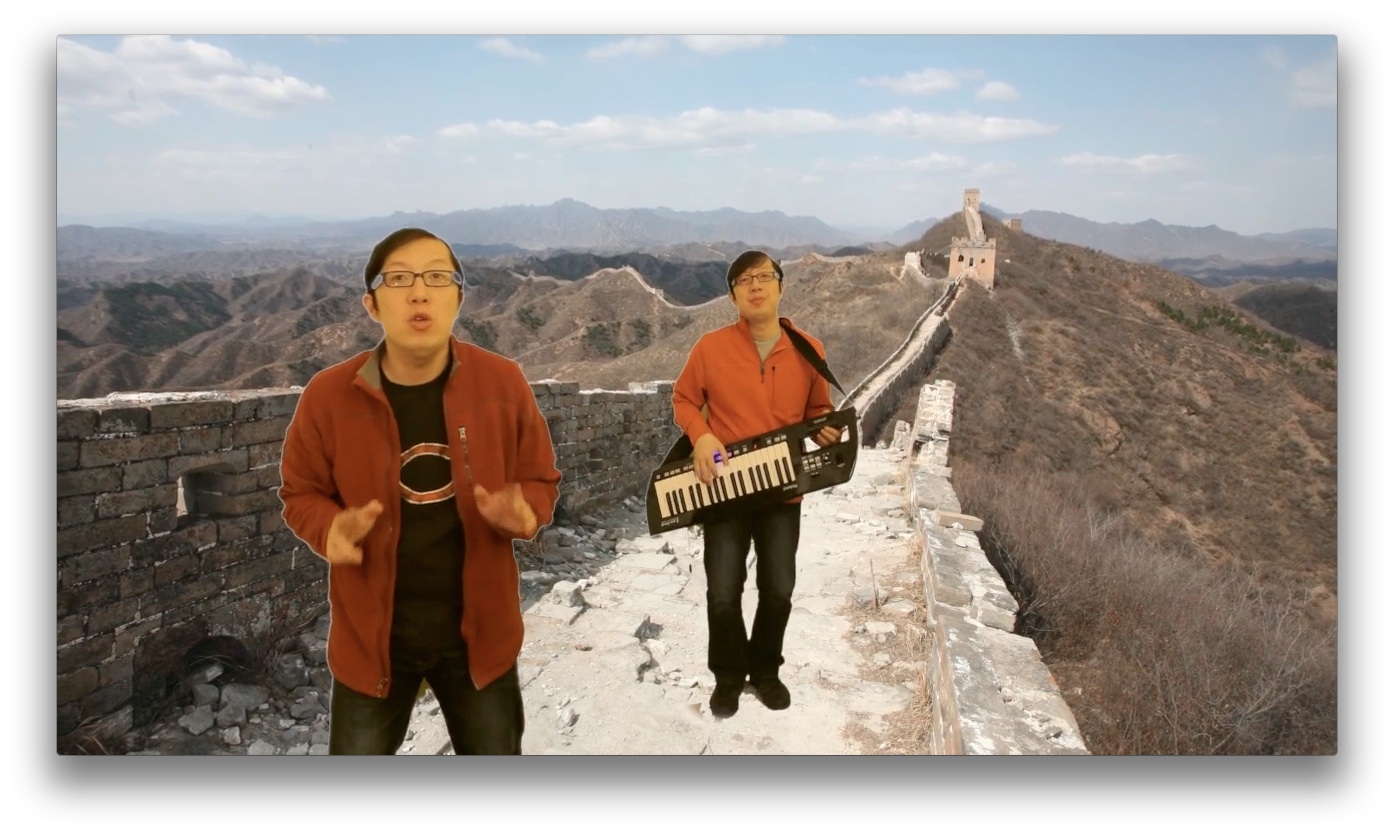
Wassup, my friends!  It's time to release a new music video!  Passion Pit's "Carried Away" has been stuck in my head so much lately.  It's such a catchy and danceable tune (just don't pay attention to the depressing lyrics).  So I felt compelled to do my own cover of it!  Click here or on the screenshots above to view the video in YouTube.


My "instrument of the day" is the Keytar!  I had purchased a Roland Lucina AX-09 a while ago, but just realized I've never shown it off in its own video.  "Carried Away" was perfect for it, since it has a great keyboard lead riff that fits the strengths of the Roland.  For those of you who are interested in the keytar, here's a nice demo video.  I love this baby.  It is quite versatile, and it's super portable.  I've decided to clear out my other keyboards and just stick to this one (and a stage piano).

For the music video, I decided to shoot it "on scene" at the Great Wall of China!  Well maybe not exactly on scene, since I went there in 2008 and filmed this music video in 2014.  Details, details :)

Enjoy!!!


Tuesday, December 31, 2013

Music video: Metric's "Synthetica" - iPad Video Cover by Nguyen-Anh Le


Happy New Year!  I went back to the iPad to make this latest video.  "Synthetica" is the title track off Metric's latest album (2013).  It's a great song with powerful lyrics, rocking guitars, and cool synth sounds.  Click here or on the pic above to view on YouTube.


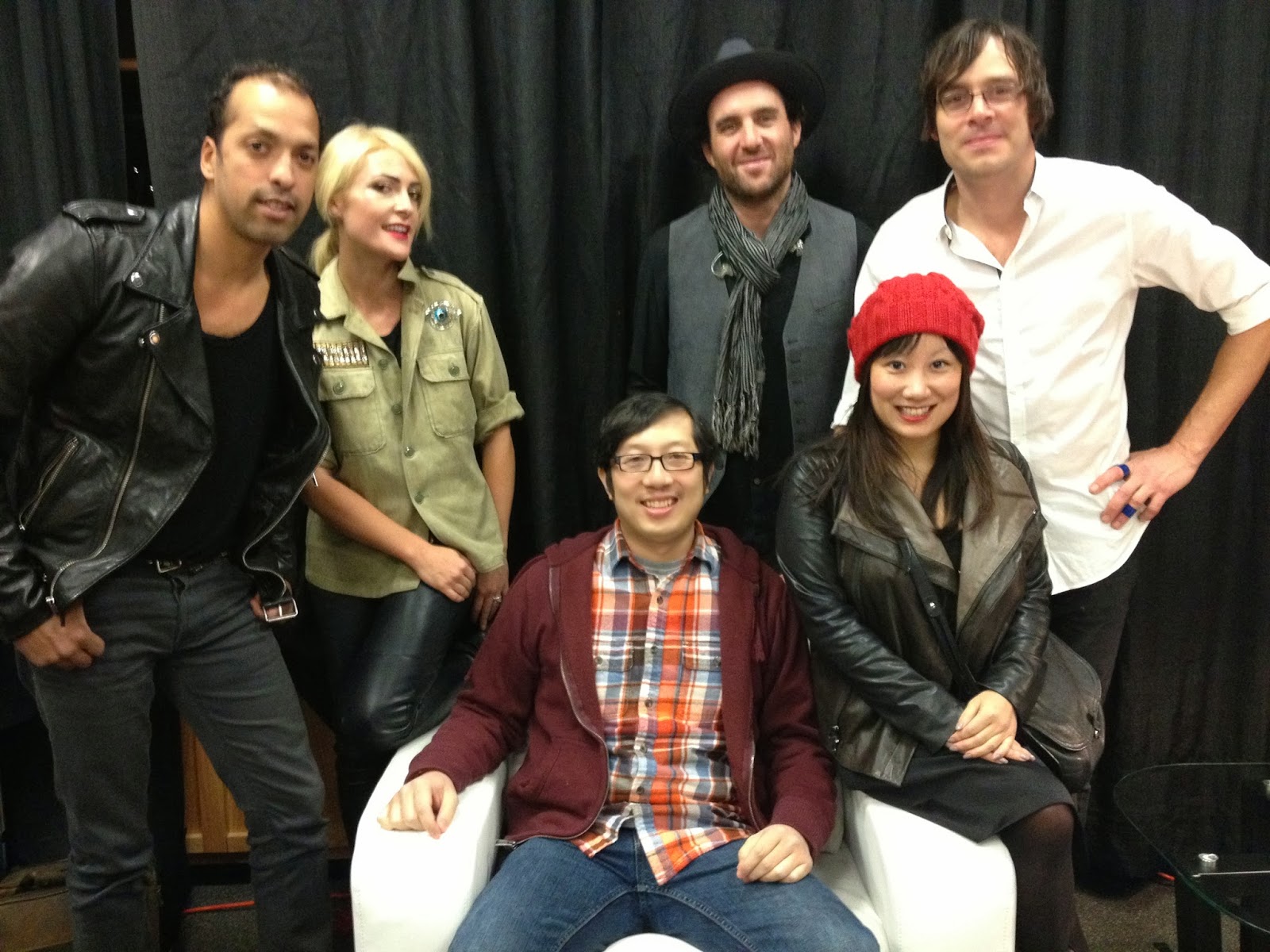
I had planned to work on a different song by a different band.  But some interesting things happened last month (November).  Through a friend of the band, Metric discovered my A Capella cover of "Gold Guns Girls."   They shared my video via Twitter and Facebook, and in two days, 8000 viewers had seen it.  It went almost viral!  Well not that viral - maybe "bacterial" haha.  Metric also invited me to meet them backstage at their show in Chicago (see above).  I had never met a band backstage before.  They were so nice and fun to talk to.  I felt a little flattered having this awesome band ask little ole me about my home video.  It was a bit ironic since it was their song in the first place haha.  So.... I thought I would pay tribute to Metric by doing another cover of their songs (my 3rd Metric cover), one off their new album.  And voila - Synthetica!


I've done several videos on the iPad already.  In fact, music was the primary reason for buying an iPad originally.  So what's different about this one?  The big thing is that "Synthetica" is a guitar rock song.  My previous videos were almost entirely synths.  It is pretty cool using the guitar and bass instruments on GarageBand.  GarageBand put a lot of effort into making lots of guitar effects and amps, so you can choose how clean or dirty, reverb, delay, wah wah, flanger, etc.  The acoustic guitar sounds are pretty nice too.  The iPad interface allows you to just tap to play chords, or you can play notes like on a real fingerboard.  One limitation, however, is that you can't play frets up the fingerboard - I think only the first 7-8 frets are accessible, while most electric guitars have at least 22.


After the bridge of the song, I switched to a real instrument - an electric guitar!  My buddy Chris wanted to trim his lineup of guitars.  So I acquired his Ephiphone Les Paul Standard, which he had some nice custom work done on, including fancy Seymour Duncan pickups.  It's a beautiful guitar, and it plays very well.  I thought I'd show off the guitar with my own guitar solo on Synthetica - hopefully it was somewhat worthy of Metric's Jimmy Shaw! :)

Enjoy!  Happy New Year!

Tuesday, October 1, 2013

Music Video: Daft Punk's "Get Lucky" - A one-man band cover by Nguyen-Anh Le


I know, I know - everybody has covered "Get Lucky." You may be sick of the song by now, since it's been the hottest song all summer.   It's a fun and catchy song though - makes you just want to bounce around, wherever you are.  Listen to my cover!!!  Your life will change once you do it!!! :)

I've been a Daft Punk fan for years.  I missed seeing them live at Lollapalooza 2007, but one day...  I'm glad they departed from their heavy DJ set to a more full band with instruments.  Pharrell Williams's guest vocals on this track are great, and Nile Rodgers on the guitar was amazing.  If you didn't know, Nile Rodgers founded the classic 70's disco band Chic ("Freak Out!").  No wonder "Get Lucky" has such a great disco groove.  Pharrell has been all over the music scene, though mostly as a producer and songwriter.  He sounds pretty darn good for someone who doesn't sing lead vocals often!  Some trivia: Pharrell and his production group The Neptunes had previously collaborated with Daft Punk, on a remix of "Harder Faster Stronger Better" :)

Doing a cover that everyone else has done can be tough.  How do you make it unique?  How can it be special?  At least I have the "one-man band" approach (although there are a few great ones of these already).  I wanted to keep it strongly disco.  But more layered than Daft Punk's version, which is a little sparse.  I couldn't sing nearly as well as Pharrell or play guitar nearly as well as Nile... but I had other instruments to work with.  So my cover ended up with:
  • A faster tempo (120 bpm)
  • A more prominent bass line
  • A cool super disco bridge & outro
  • Lots of keyboards - including my cool Keytar!
  • An entertaining music video :)
Here it is!  Enjoy!  You can either view it directly on YouTube: http://www.youtube.com/watch?v=pIl7msQKgGk or view it embedded below.


Thursday, January 31, 2013

Lollapalooza 2012 Cover Medley

Finally, a new music video!  It's a big one - an 11-song medley of covers from Lollapalooza 2012!  I played "one-man band" covers of the songs (vocals, guitar, keys, synth bass & drums), and I arranged them all together.  And I filmed a fun video to go along with it.  You'll want to sit down to view this video - it's almost 13 minutes long!

To view a bigger version, you can click the "full screen" button in the video above.  Or you can open the video's YouTube page.

I love Lollapalooza.  If you aren't familiar, Lolla is a music festival held in Chicago every summer.  It's such a great venue, and so many great bands come to play.  Most of the music is considered Alternative/Indie or Electronic.  You get to see big famous bands, up-and-coming stars, as well as less-known artists.  I really wanted to see Metric, Florence + The Machine, and Justice.  On the other hand, I "discovered" bands like Temper Trap and Chairlift at the festival.

Here's the tracklist:

  1. Red Hot Chili Peppers: "Under the Bridge"
  2. Florence + The Machine: "No Light"
  3. The Temper Trap: "Fader"
  4. Metric: "Sweet Sympathy"
  5. The Black Keys: "Howlin' For You"
  6. Chairlift: "Amanaemonesia"
  7. Franz Ferdinand: "Take Me Out"
  8. Neon Indian: "Polish Girl"
  9. Passion Pit: "Take a Walk"
  10. M83: "Midnight City"
  11. Justice: "D.A.N.C.E."

Making the Medley

I've never done a medley before.  Creating this medley was an ambitious project.  I started it in August 2012 and finished six months later!  Well most of the delay was from other distractions, but this project did involve a bit of work.  I'll talk about the challenges in several aspects: arranging, performing, and production.

Arranging. When you do a medley, you first need to figure out which songs could fit.  Good thing there were so many good songs from great bands to choose from.  You also need to arrange the songs in some reasonable order.   Finally, you also need to match the rhythms and key signatures/chords between the songs. 
  • I had to throw a few songs out.  For example, I really wanted to play "Bruises" by Chairlift, but the song was way too fast to fit with the rest of the medley.
  • "No Light" is a great song, but the slow, syncopated rhythm of the main part didn't fit anywhere (the medley was either fast rock or disco).  So I decided to perform only the song intro.
  • As discussed in the video, I had to put all the rock songs in the first half, then transition to all the disco/dance songs.  The rock songs in the medley go much faster (~160-170 bpm) than the disco songs (~120-130 bpm, if I recall correctly).  Rock beats are different from disco too.  Rock beats are in pairs: down/up down/up, whereas disco is all even: down down down down (that's why disco is also known as "four-on-the-floor."  "Take Me Out" provided the perfect transition that accomplished exactly what I needed.
  • Another cool transition was from "Howlin' For You" to "Amanaemonesia."  I couldn't stand to play "Howlin' For You" for too long, and I thought it would be cool to make a little fun of it by playing the riff on the keys.  So that's what I did.  It
Performing.  Although it's just one music video, I had to learn to sing and play 11 songs.  I performed vocals, guitar, and keys on all the songs.  The bass and drums were synthesized.  Lucikly, most of the guitar and key parts weren't too difficult for me.
  • Guitar.  "Howlin' For You" required some blues lead play on the guitar, something I've never tried before (I HATE BLUES!!! hehe).  The fast tempo required some fast picking on some songs like "Take Me Out".  The one super difficult part was the intro to "Under the Bridge."  I learned it, but I realized my play wouldn't be good enough to record.  So I abandoned that idea.  
  • Keys. About half the songs had significant keyboard parts.  There were a couple cool keyboard riffs in the medley, in "Amanaemonseia" and "Take a Walk."  My favorite keyboard thing was the keyboard part show on the bottom half of the "Amanaemonesia" video.  I improvised that entire part one day - you won't find it on the original Chairlift track! :)
  • Vocals.  I'm terrible at remembering song lyrics.  I always forget the words of my favorite songs that I've been singing for decades.  I did many recording takes in this medley because I messed up the lyrics haha.  Singing is not my forte; a couple songs were a bit challenging for me.  I probably set the key of a couple songs too high ("Fader" and "Polish Girl" in particular).  But I needed them to be played at those keys so the medley would transition well.  I probably would have sounded better if I had tuned those songs down a step or two.  One nice thing about pushing myself was that I was able to sing some notes I was previous unable to hit :)
Production.  When you do a 13-minute video of yourself playing music, you MUST come up with something interesting.  Otherwise your viewers would fall asleep or click elsewhere hehe.  So I tried to spice up the video a bit.
  • I tried to incorporate Visualizers into the video.  These are software programs that create cool graphics that adapts to the music that is played.  I use a few Visualizers: Aeon (used the most), a couple by Wowlabs, and the default iTunes Visualizer.  Oh yeah, I used the Desktop Aquarium screen saver too.
  • I try to learn something new with video production every time I do a new video.  This time, the big thing was using keyers.  You may know this as "green screen" work.  This was super fun.  It allowed me to superimpose myself singing/playing over other videos and photos.
 I hope you enjoy the video!

Sunday, April 22, 2012

Music Video: "Gold Guns Girls" (Metric) - A Capella!

My latest music video project is something far from what I have done before: a capella!  That's right - it's just me singing/humming/beatboxing all the parts of the song, including the drums!  The song is "Gold Guns Girls," a 2010 hit by the Canadian Indie band Metric (who is coming back to Lollapalooza in 2012, yay!). 

Most of my music background is from being an instrumentalist.  I am not a great singer, nor do I have much singing experience.  Thus making a one-man a capella music video was quite the challenge!  I had to do many takes to get all the vocal parts right.  The hardest part, of course, was staying in tune with myself.  Not only is it hard without an instrument to carry a tune; every pitch adjustment ends up affecting the other tracks.  Making the video required a bit of work too - lots more shots of myself looking silly.

Despite the challenges, I learned a lot, and it was very fun to do.  I hope you enjoy the production!  And please "like" the video on YouTube! :)


Direct link to the video on YouTube:http://youtu.be/EupdQ38xS8I
Subscribe to my YouTube channel: http://www.youtube.com/user/discopalace123

Monday, December 5, 2011

"Steppin' Out" - On iPad, GarageBand, & USB synthesizer (Joe Jackson cover)


I just bought an Alesis Q49 USB Synthesizer over the weekend. It hooks up very easily to my iPad with GarageBand. Here is the new rig in action, doing some 80's synth pop: a cover of Joe Jackson's tune "Steppin' Out."

(Here's the direct link to the video on Youtube: http://www.youtube.com/watch?v=Hw_lrS6-Rz0)

I have enjoyed playing music on the iPad a lot so far.  However (as you may have seen from earlier blog posts), playing on the iPad's touch screen can be difficult.  You can easily mess up!  So I finally decided to try it with a real keyboard hooked up to it.  I have an old Alesis QS 6.2 keyboard, but I gotta admit - that thing is big and heavy.  I was too lazy to get it out again.  Instead, I bought this cool Alesis Q49.  It's a USB synth that plugs right into the iPad (or a computer).  It's a compact 49 keys - and it only weighs 5 pounds!  My entire iPad + keyboard rig weighs under 10 pounds - ultra portable!  Even better, I bought it on Amazon for only $80.  It came in on Friday, and my video was done by Monday! :)


Playing the Alesis is pretty enjoyable.  I do admit - since I have a real piano, I was wondering how the feel of plastic, non-weighted keys would be.  But the Alesis wasn't bad at all.  The keys are full-sized, and the spring weights felt just fine.  49 keys is just enough to play songs with both hands.  Many other USB synths are tiny - 25 or 37 keys - which is fine for one hand electronic riffs, but not good for solo playing.  The one drawback with 49 keys is that the keyboard is kinda long.  It doesn't fit in a backpack like the iPad does.  But it should fit well in a duffel bag or gym bag.


The Alesis Q49 is a MIDI controller, not a "real" synthesizer.  What does that mean?  It doesn't generate its own sounds.  You need to plug it in to some kind of computer that has music software.  In this case, I plug it into my iPad with GarageBand.  You can plug it into your Mac or PC too.  There are a few simple controls on the keyboard.  There are dials for pitch and modulation control, up/down octave keys, and a volume control.  That's all you really need.  In the back, you can plug the keyboard into a machine using USB or MIDI outputs.  I used the included USB cable, attached it to the Apple's iPad Camera Connection Kit (~$30 adapter), then straight into the iPad.  You can also hook up a sustain pedal if you like.  You can optionally buy a 9V power adapter to plug into it.  This is probably useful if you are playing a long gig.  But if you are just messing around a for a bit, your iPad actually seems to do a fine job at supplying power to the keyboard.

Well, I hope you enjoyed this test drive of my iPad with the USB keyboard!  Stay tuned for more music to come!

Wednesday, September 7, 2011

"Island in the Sun" (Weezer) - Latin cha-cha one-man full band cover

This is my one-man full band cover, featuring vocals, guitar, bass, iPad, GarageBand, and goofy outfits :) Thanks to my buddy Matt for letting me use his cool Yamaha bass indefinitely. It was my first time really playing the bass - lots of fun! The rhythm and horns were synthesized thru iPad & GarageBand technology. Maybe one day I can have my own horn section...


I was never much of a Weezer fan, but I heard "Island in the Sun" a little while ago and fell in love with it.  It's very happy yet dreamy. But when I think of some tropical island, I don't think of an alternative band playing on the beach. I think of dudes with colorful shirts and outrageous accents performing.  So I figured it would be good to play it Latin style. This was my first Latin style musical arrangement.  I also added a few photos from my travels to islands in the sun, for some imagery :)

A cha-cha, originally a Cuban style, seemed to fit well (even though it's a rather old-school genre).  In American pop/rock music, all the emphasis is on the beat (1-2-3-4).  But in cha-cha (as in other Latin music), not all instruments play on the beat.  First you break up a measure into 8 sub-beats (1-and-2-and-3-and-4-and).  Then, you have each instrument play notes only on certain sub-beats, and you spread it across all 8.  The result of this "syncopation" is that each instrument has its own mini-spotlight in each measure.  For example, in the chorus, the melody played by the horns ends right as the "cha cha cha" of the congas begins.  And at the final beat of the "cha cha cha," the chorus begins again.  A great foil!

Cha-cha is fun to dance to as well (even though I'm not very good at it hehe).  The syncopation is cool.  When you dance cha-cha, your first step is actually on the 2nd sub-beat ("1-and").  The signature "cha cha cha" shuffle step happens on "4-and-1" - so the last step of the dance is the first beat of the measure.  This counterbalance between music and dance is really dynamic.

Sorry if I got too technical.  Enjoy! :)

Related links:


Thursday, July 28, 2011

Hall & Oates piano cover: "I can't go for that" - by Nguyen-Anh Le

Here's a piano cover of the Hall & Oates hit song "I Can't Go For That (No Can Do):


Direct link to video on Youtube

I've been taking this super fun "Hall & Oates ensemble" at the Old Town School of Folk Music in Chicago, taught by Cathy Norden.  We've played a bunch of hits such as "Rich Girl," "Sara Smile," "Kiss on My List," and "You Make My Dreams Come True."  We haven't gotten around to "I Can't Go For That" yet.  Maybe because the song is almost all bass and keyboards, while our class has 7 guitars, a ukelele, and little ole' me.  So I learned the song on my own and recorded a solo performance.

I decided to go with a new age piano style for this cover.  The soulful Hall and Oates chords actually sound pretty good when done this way.  But I couldn't reproduce the funky bass line while playing the melody, so I simplified the bass. I threw in a little pentatonic blues-ish ad-lib solo towards the end too.

Wednesday, June 29, 2011

"Kids" music video (MGMT cover) - GarageBand on iPad 2 - by Nguyen-Anh Le

For my next Internet music video - here's a cover of the fun and catchy song "Kids" by MGMT!  I recorded and arranged it all on the iPad, using the GarageBand app.  I had just downloaded the app for $4.99 a few days ago.  Rather than just toying with it, I figured I should just do a full production with it.  Et voila, here it is!


Link to the recording on YouTube

GarageBand for iPad - The Good

My first impression of the iPad was that it was just a shiny new toy. Yeah, you can do fun stuff with it, but would the novelty go away? Then I saw a few music apps come out and realized there could be some promise. But even those apps are semi-toys too; it's hard to play something really well since they are limited instruments and the keys are so small. But GarageBand for iPad really put it over the top. You can do some serious music with this app!

GarageBand is perfect for the iPad. Why? Because you can record tracks directly on the iPad. If you've ever used GaragePad for Mac or any other desktop music studio software, you have two choices for recording: playing real instruments and feeding the sound to the computer, or tediously clicking your mouse to record each note. On the iPad, the iPad is both the studio and the instrument. I recorded half this song just sitting on the couch, with the TV on.

GarageBand's synth sounds are great. I own two "real" synths. I don't use my 88-key Korg workstation anymore because it's so big and clunky. I do use my 61-key Alesis, but it's still a pain to drag it out. The synth sounds on GarageBand have good enough quality and variety to play for real. This is quite an improvement even against the other synth apps available for the iPad. GarageBand also provides guitar, bass, and drum apps. They sound decent enough. Not close to the real thing, of course. But they'll work fine if you want to quickly lay down tracks for a song.

GarageBand for iPad - The Bad

There are some limitations to GarageBand for iPad. Since the iPad is an "all-in-one" device, there's currently no easy way to hook external inputs up to the iPad. This means you are stuck with the tiny built-in microphone on the iPad. My voice is bad enough as it is - and using this mic just makes it sound worse! Most vocalists and live recording artists use fancy condenser microphones - so iPad isn't ready for them just yet. There's hope though - companies like Apogee Electronics are making input products for the iPad.

Another shortcoming of Garageband for iPad is limited effects and processing capabilities. There are several knobs you can turn for each instrument. On analog synths, you can edit basic things like attack/decay, cutoff, resonance. The sound recorder lets you select from a few typical presets (large room, small room, chipmunk, etc). You can do some processing of most tracks like editing reverb, echo, compressor. But that's about it. You can't add typical effects like graphic equalizers, chorus, distortion, or even auto-tune (haha). And you can't fine tune your song with various envelopes.

These limitations are far from being showstoppers. If you want to do more with your song, you can export it into GarageBand for Mac. I did this with "Kids" so I can add a few more effects and do some fine tuning. This was only the second time I've used GarageBand at all (iPad or Mac), but you can see that the Mac version is a more powerful editing platform. But for most home users, you can won't need to do all this fancy stuff. Considering it just costs you $4.99, and you don't need any other instruments or gear, GarageBand for iPad is super easy for you to make some music.

Other Musings and Conclusion

Oh yeah, this was also my first time making a music video with fancy editing.  I tried out Sony Vegas - neat tool!  Doing this was lots of fun too. I am still quite the video newbie though. The biggest challenge was getting all the video clips to sync. A few clips got out of sync towards the end of the song - don't know how to fix them.

At any rate, I hope you enjoy the song. Recording it was lots of fun, as well as a great learning experience!  I'd love to hear any experiences you've had with music on the iPad.

Friday, September 24, 2010

In a strange twist of events, I've become a Mac, not a PC!

Warning: this will be a fairly geeky blog post.  But hopefully it'll be entertaining too :)

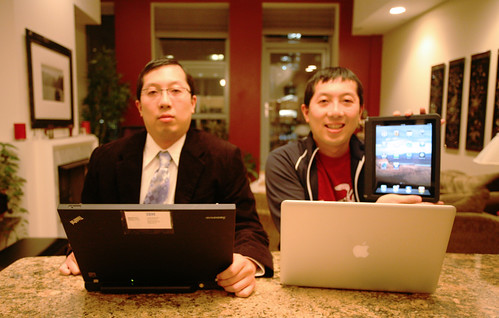
Yes, it's true.  I have joined the Dark Side.  Or is it the Light Side?  Several of you will laugh at the irony.  Yes, I've built many PCs from piece parts over the years.  Yes, I'm the guy that said that iPads are waste-of-money toys.  Yes, I'm the one that said I would never get a Mac because they are too "user-friendly" and way overpriced.  I even bought a PC Netbook on the day the iPad became available in stores.  But lo and behold, strange things have happened since.  First, I gave away my Netbook to my parents a couple months ago and bought an iPad to replace it.  To top it off, today I received this brand new Macbook Pro as my official laptop for work - bye bye Thinkpad.  No, Steve Jobs didn't bribe me.  I think I just may have officially become a Mac!!

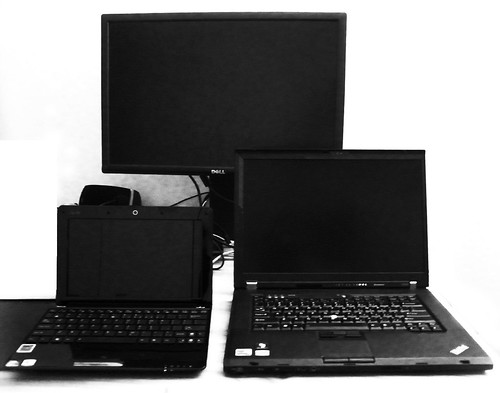
This was my arsenal of compu-weapons before.  Very black.  Very PC.  I got good mileage out of them.  As a technologist working for a technology company, you kinda need some techie gear, you-know-what-I'm-saying? I have a desktop PC, which is my most powerful computer and contains all my data and runs major applications.  For work, I had a Lenovo Thinkpad W500, a top-of-the-line laptop.  The laptop is my IBM "office" (I don't have a real office) - containing data and applications for work. 


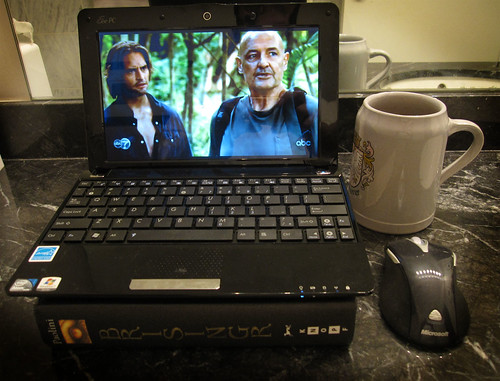
When you're traveling for leisure, carrying a 5 lb laptop with a 15" screen (with all your work data on it) is not very desirable.  That's why I bought this cute ASUS Netbook.  It's about the size of a hardcover book and only weighs 3 lbs.  Works great for Internet surfing, e-mail, streaming video, etc.  I took it to Turkey and wrote a few blog articles on-the-fly. 

Over time, however, I realized that the Netbook was only useful to me when on the road.  I do not travel all the time.  I hardly ever used it at home, since the desktop or laptop was always available.  I ended up giving the Netbook to my parents (who wanted a second laptop/netbook so they wouldn't fight each other for dibs at playing online Sudoku, hahaha).

Since I no longer had an ultra-portable compu-device, I started paying attention to the iPad.  It wasn't serious for a while.  Aside from email/internet, I thought, why else would I want an iPad?  All the apps were just cute little games.  No "real" use case for them.  Nothing a desktop or laptop could not do.  Didn't justify the fancy $600-1000 price tag.  But one day I stumbled this video of an iPad accordion application and was amazed.  Then I realized that the iPad isn't just a toy.  You can actually do some really neat things on it, like playing/composing music!  How cool!  You can't play a piano or accordion live on a desktop or laptop.  That was something very unique to the large touch screen on the iPad.  If people wrote more apps like this, the uses could be boundless!  A couple days later, I walked for the first time to the Apple Store on Michigan Ave in Chicago and walked out with my very own iPad!

I admit, the iPad may not be worth the price tag for most people.  You pay a bit for the newness factor, the sex appeal, the cute toy aspects.  But hey - now I have my own iPad accordion video! :)

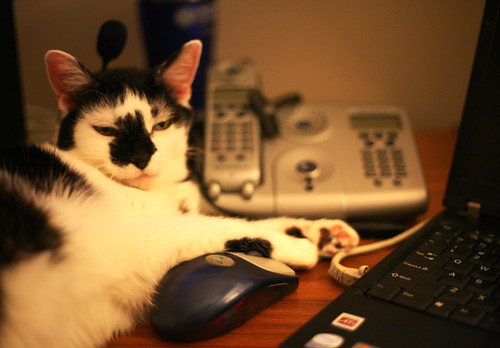
I've had some kind of IBM/Lenovo Thinkpad since 1996, when I was first hired into IBM. They have always been solid, reliable machines. I've taken them all over the world. Even my old cat enjoyed hanging out with the Thinkpad.


At work, we folks in sales have to show off our enterprise software to customers all the time.  Having powerful, reliable machines for sexy demos is very important.  There has been a push to try out Macbooks as our platform for doing this.  That's why I'm getting one.


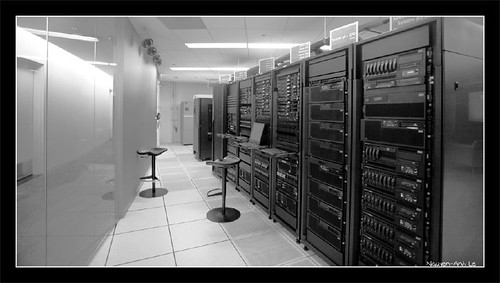
Several people have asked "hey, don't you work for IBM?  Isn't it an oxymoron for you to have a Mac?"  You may be surprised by the answer: not at all.  Yes, it's true that IBM invented the PC.  But what many people don't know is that IBM doesn't make PCs anymore.  That's sooooo 20th Century.  In fact, no PCs, laptops, printers, or hard drives.  We sold off those businesses years ago, because they didn't make enough profit.  The Thinkpad is now made by Lenovo, a Chinese company.  What we sell is enterprise hardware and software - stuff that most normal people don't see, like in the photo above.  Apple is a consumer electronics and technology company.  Unlike in the 80's, we two companies don't compete anymore.  On the other hand, a real competitor these days is actually Microsoft, since they sell software to enterprises too.  So using Mac OS may be better for us, since we wouldn't be paying our competitor Microsoft for Windows and Office licenses...


Looks like 2010 marks my new journey with Apple technology.  The iPad has been fun so far.  Hopefully the Mac will be productive too.  Don't get me wrong - I'm not becoming a Mac bigot (and I wasn't a PC bigot before).  I still wouldn't buy a Macbook with my own money, unless they got 50% cheaper.  But hey, I will try it out for work since it's free to me :)  Actually, this reminds me of the first computer I used - the Apple IIe in my 2nd grade classroom.  Can you believe I learned to program on one of these things??


Related links:
- This article on my blog
- My blog

Friday, June 13, 2008

Marilyn Kesler's Opus

Last weekend, I went back to my home town of Okemos, MI to attend my orchestra teacher's retirement party and concert. One could wonder what's so special about one teacher, but Marilyn Kesler was just that special. She turned a sleepy suburban town's orchestra program into one of the best. She gave me an outlet for my musical interests and provided a community of like-minded musicians for me to grow up with.

The weekend was a great tribute to Marilyn's career. Here's a Lansing State Journal article about her. There was a nice retirement dinner, of course. But the big thing was the concert. Over 100 alumni, spanning her 42 years of teaching in Okemos, came back to play a three hour concert for her. There were around ten soloists performing in the concert. We put together an alumni symphony orchestra and played three pieces as well. One of these days, I will scan the program and put it online.

I didn't originally plan on playing in the concert. I hadn't touched a violin in over a decade. But during the retirement dinner, old friends convinced me to play. How could you turn them down? The experience turned out to be great. Luckily my friend Brad had an extra old violin in his parents' basement. I was a bit surprised by being able to play. I was able to play the pieces without having seen the music before the day of the concert. I think I played mostly with the right rhythm and in tune. And I remembered a bunch of little things, like various bow techniques and watching the conductor for tempo changes and dramatic effects.

It was amazing to see how many people ended up becoming professional musicians. There were many music professors, members of professional orchestras, and teachers who came to the event. I did not choose a musical career, but it was great seeing friends who did. Sometimes I wish I had the love and the tenacity to do it; I greatly admire those who have such qualities.

The best thing for me was just having a chance to be with this musical community one last time. I saw many old friends at the events. We played together, with Ms. Kesler, every school day for seven years in a row (6th-12th grade). How many teachers did you have who taught you for so long?

I have so many fond memories of music-related things during school. Not only did I do orchestra - I was also a part of the Suzuki program, and I took private lessons. I fondly remember staying after school on Fridays for Suzuki - playing euchre in the hallways, killing time on my friend's Nintendo, and playing Suzuki repertoire pieces as a group during "play-in." I remember going to my lessons with a sense of dread most of the time, fearing that I didn't practice hard enough. My teachers had us play in recitals pretty often. Once during a recital, I drew my bow too far that it popped in the air. Luckily I caught it and was poised enough to continue. I attended a few string camps too. In one camp at Michigan State University, I got to know some of the music stars from neighboring schools. At another camp, I got to experience freedom far from home while playing fun music with other kids from all over the region. We traveled a bit too. There were various solo and orchestra competitions to go to, not to mention trips to places like Chicago and even Germany. Over the weekend, we reminisced about some antics we pulled on these trips, such as short-sheeting other people's beds and playing "superman" in the hallways of a German high school.

Why do I mention these things? At the concert, I heard all these great things that Marilyn Kesler did for my school's orchestra program. I can't top those stories. What I can contribute is my memories of these great times. It wasn't just Marilyn Kesler. Kesler formed the community and brought so much good talent here, but other individuals also made an impact on me personally. Shirley Ploughman (Waverly school district) helped foster my interest in music at an early age in elementary school. Elizabeth Febba (Waverly) got me started in violin in the 4th grade. Jan Burchman was my first private teacher and my first Okemos teacher. And Lyman Bodman was the teacher who helped me elevate my violin playing to a higher level. The last two teachers have passed away; I don't know about the first two. But I hold all their memories dear to my heart. If any of you are reading this (on the internet or in the afterlife), my sincere thanks!!!

P.S... I think I'm going to start playing my violin again. I haven't touched it in so many years. But a few months ago, I took it out of my parents' basement. It's now sitting in my bedroom, close to my bed, but untouched. Stay tuned for future blog posts about my violin...